Lite
$13.99a month
Or $109.99 a year
100 cuts a month
- Auto captions
- Export up to 1080p
- No watermark
Say a line as many times as you need. CleanTake keeps your best one, drops the stumbles and adds captions.
Coming soon for iPhone and Android.
A 31-second take with pauses, filler words and a repeated line. CleanTake made 8 trims and returned a 21-second cut.
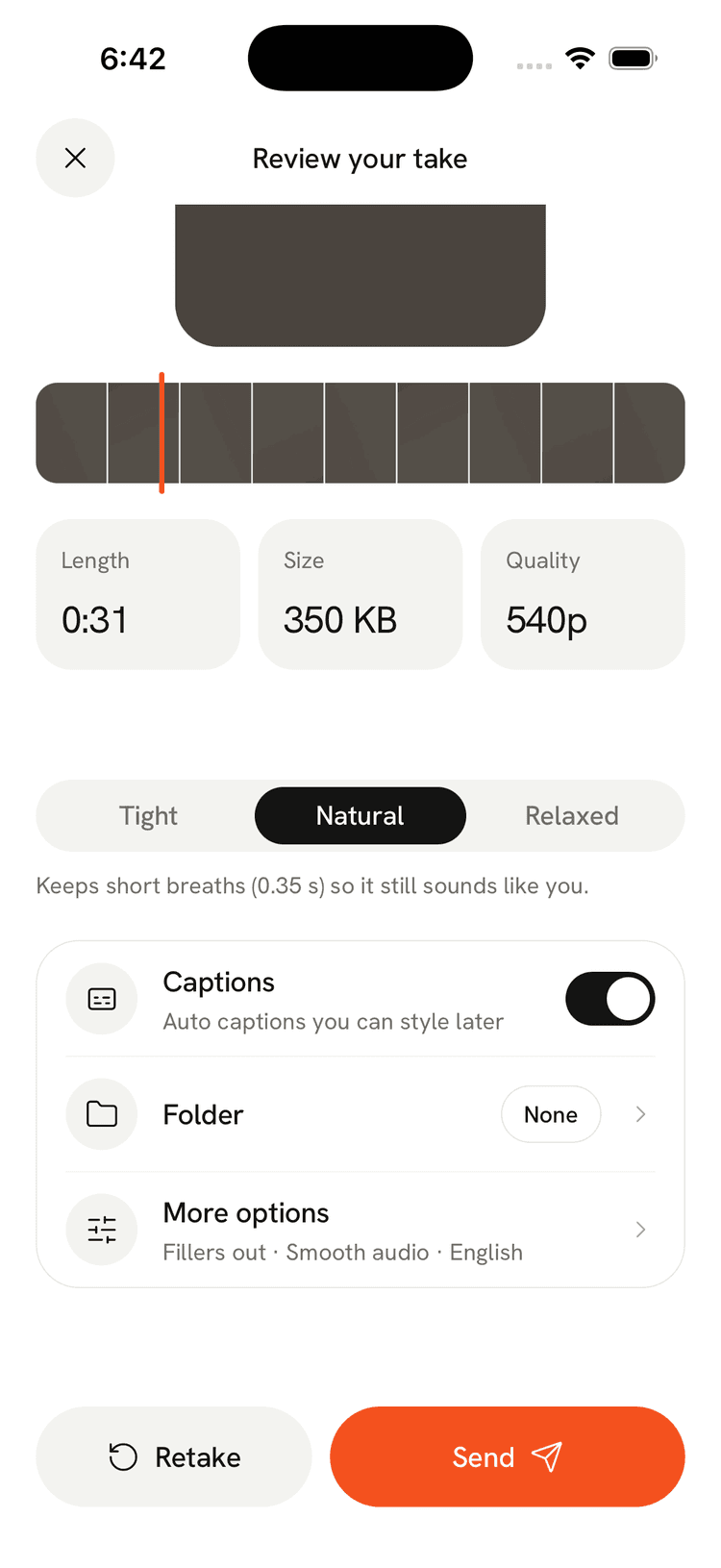
Record in the app or pick a video you already shot. Choose how tight the pauses should be, leave captions on, and tap Send.
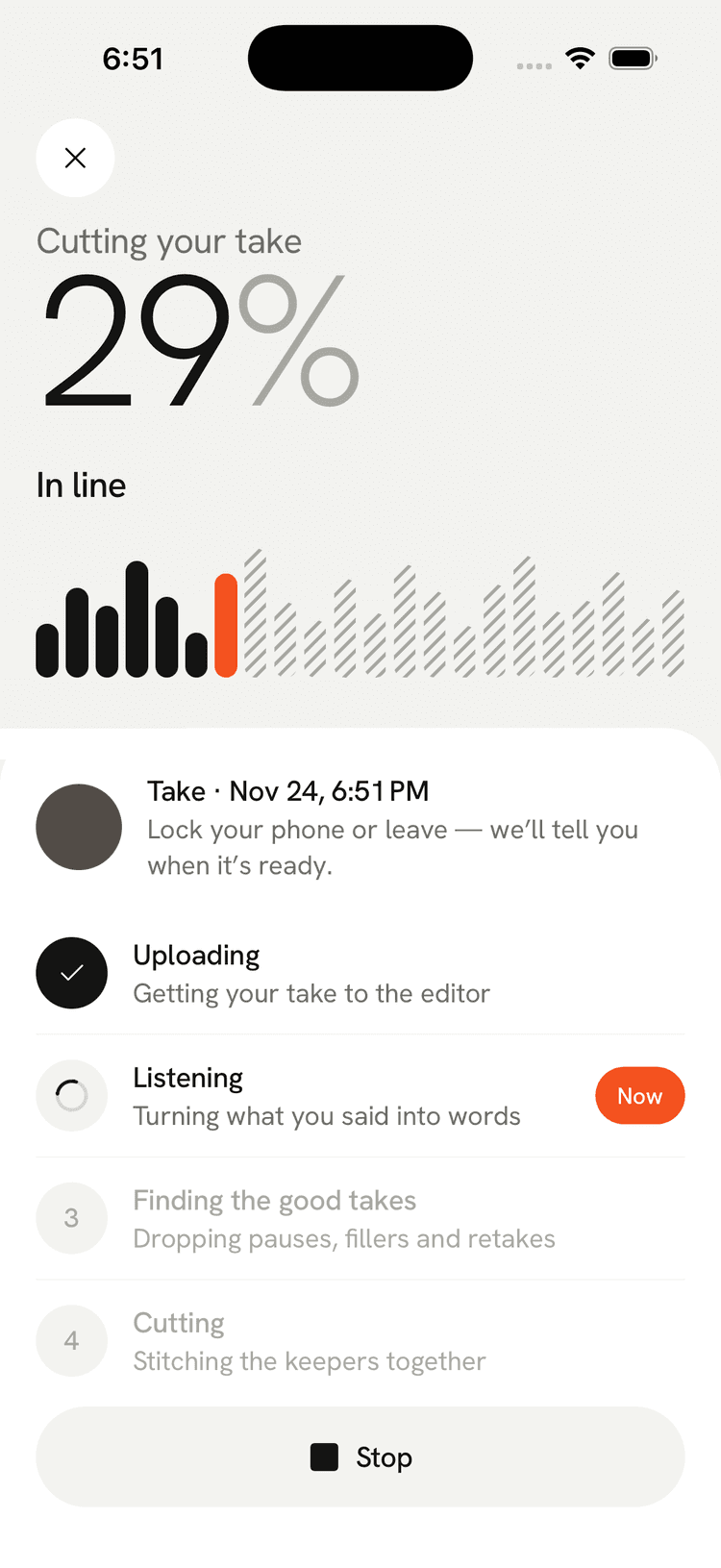
CleanTake turns what you said into words, finds the good takes and joins the keepers. Lock your phone or leave; you’ll get a notification when it’s done.
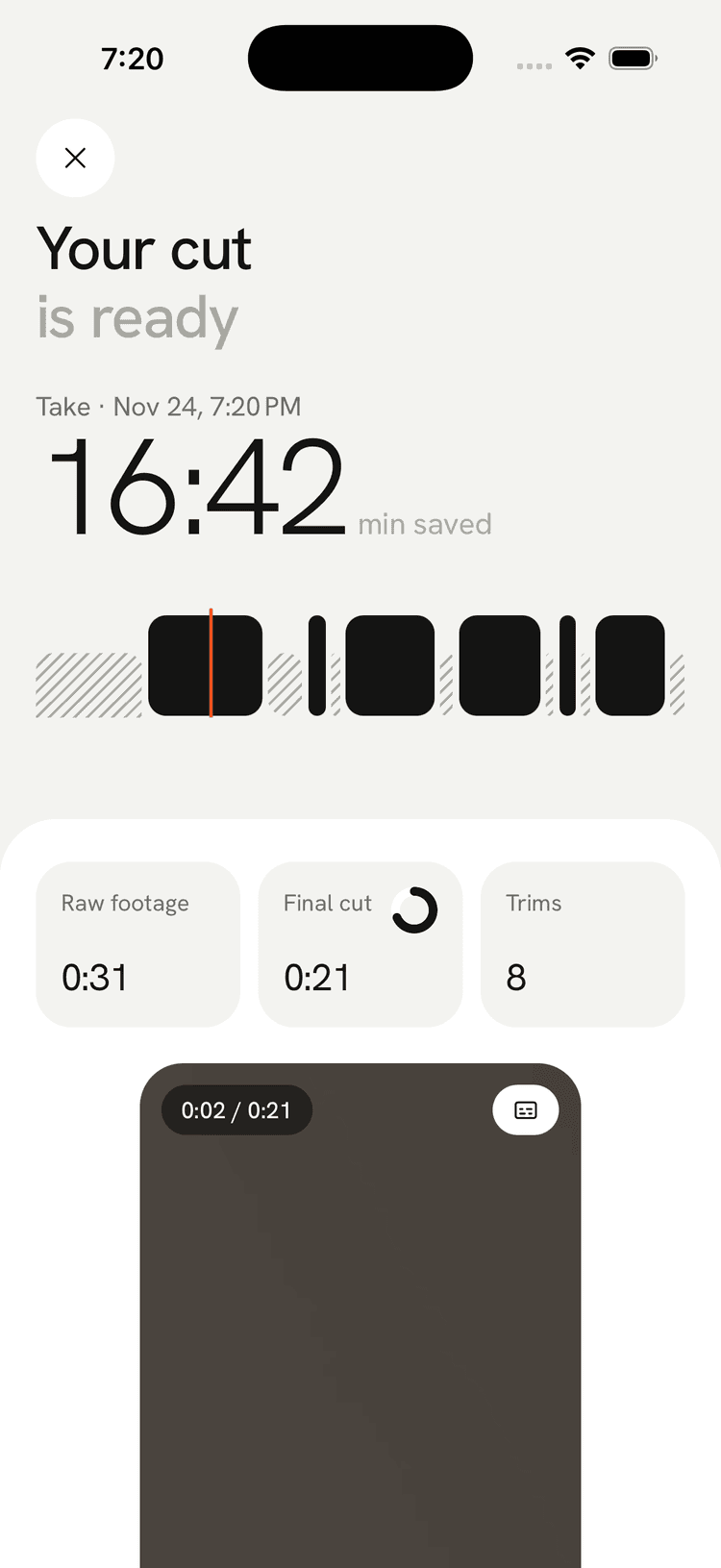
See what was kept and what was cut. Save it to Photos, share it straight away, or open the editor to change anything.
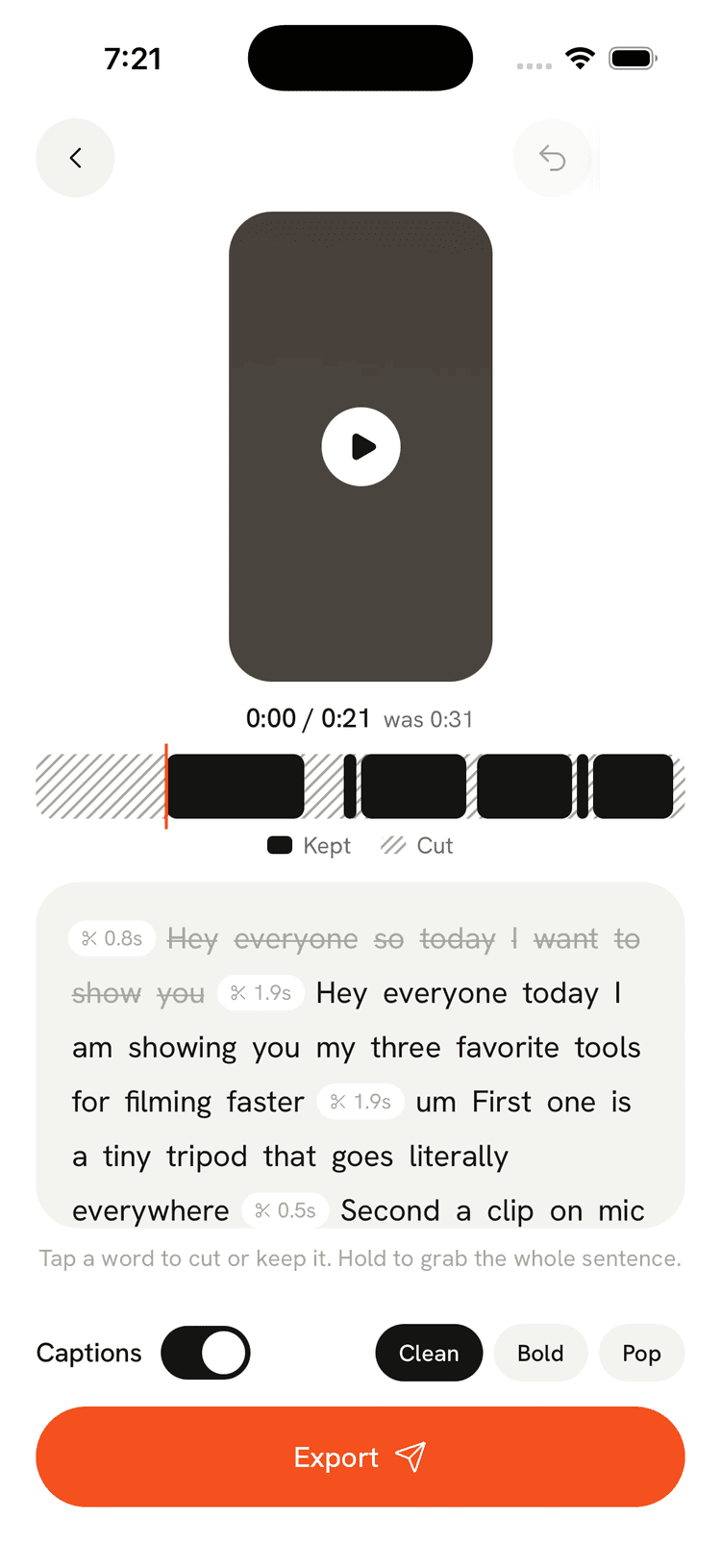
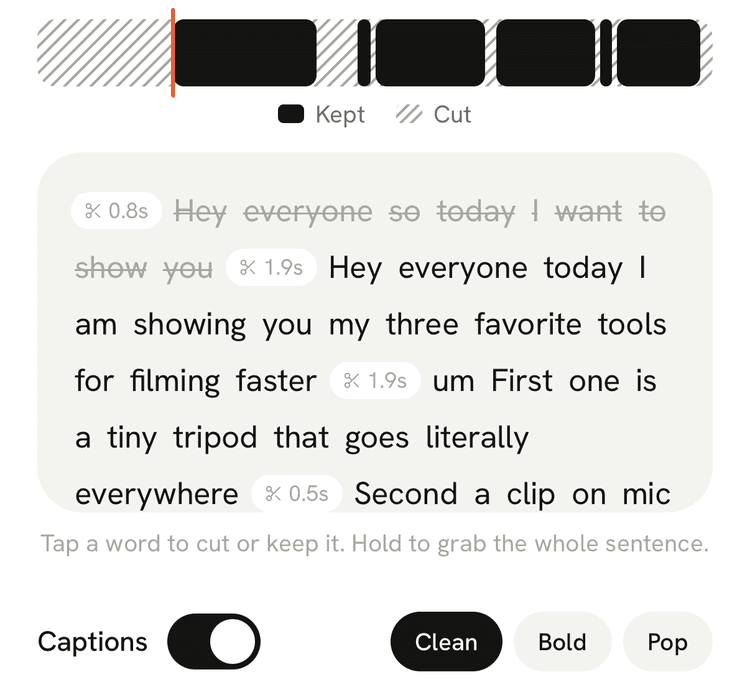
Your take shows up as text, with the cut words struck through. Tap a word to bring it back or cut it, or hold to grab a whole sentence. The timeline and video follow along, and undo is one tap away.
Turn captions on and pick a style: Clean, Bold or Pop.
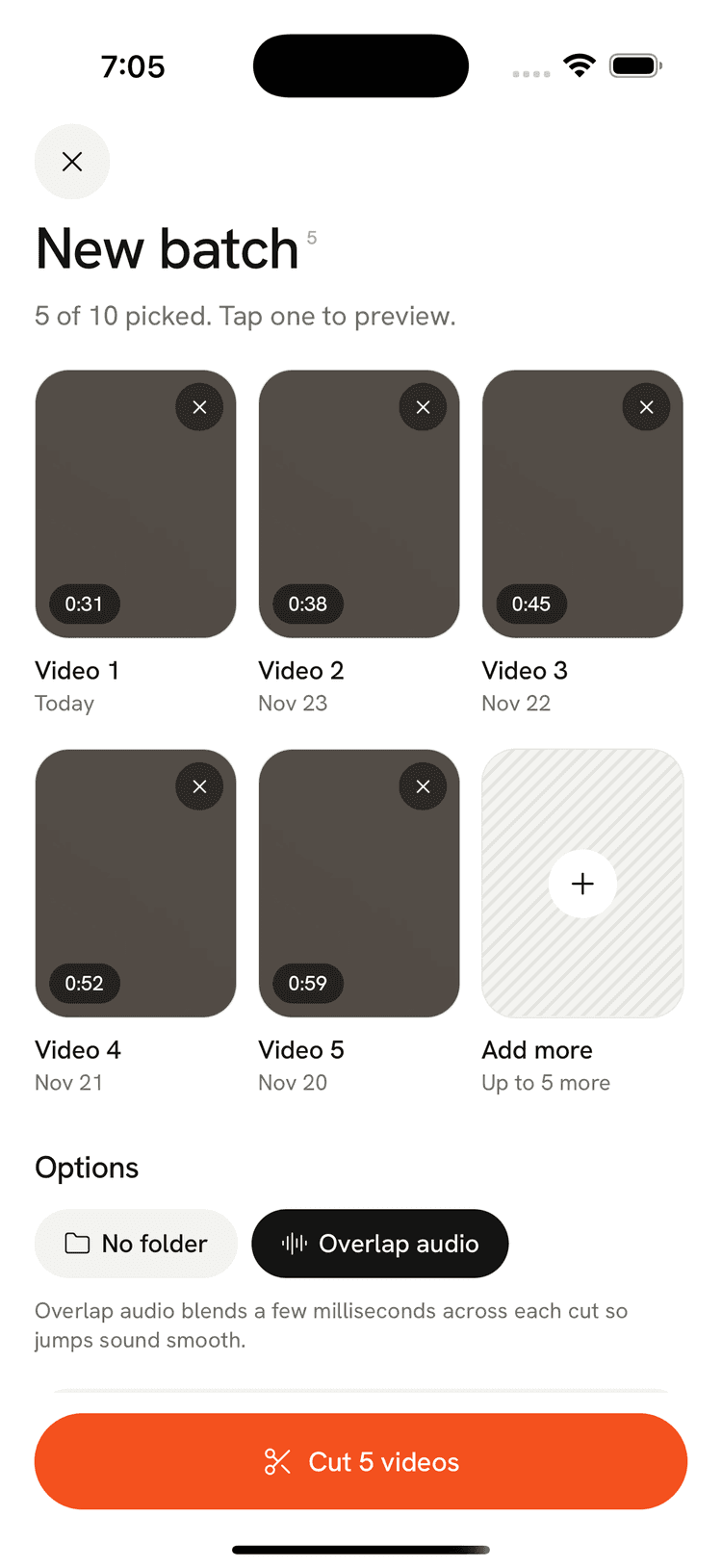
Filmed a week of posts in one sitting? Pick up to ten videos, keep CleanTake open while they upload, then put your phone down. Each one gets its own cut, and you’ll hear when they’re ready.
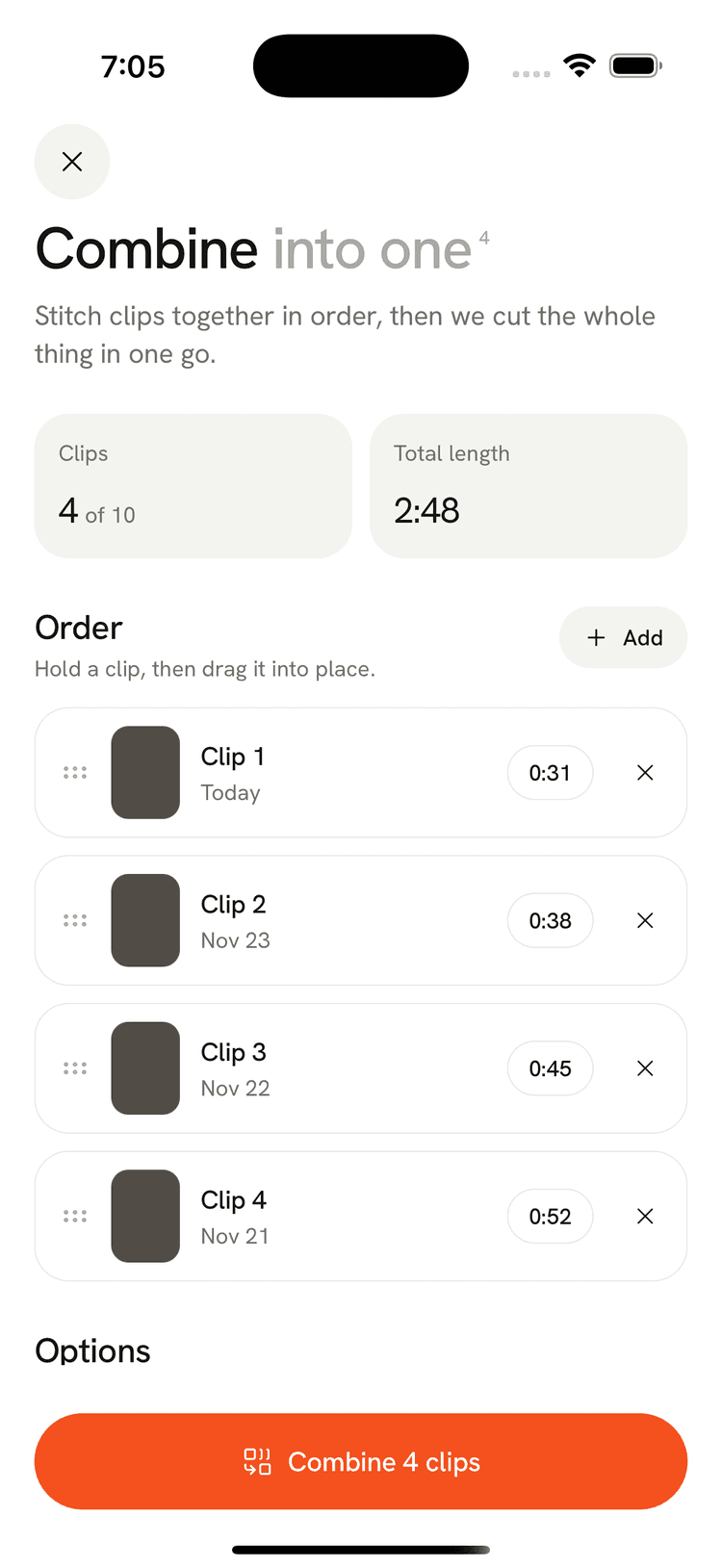
Pick two to ten clips, drag them into order, and CleanTake joins them and cuts the result as one video. Useful when a single idea ended up spread across several recordings.
Every plan cuts pauses, fillers and retakes and adds captions. They differ in how many videos you cut each month and how far you can take them.
$13.99a month
Or $109.99 a year
100 cuts a month
$34.99a month
Or $279.99 a year
300 cuts a month
$62.99a month
Or $499.99 a year
Unlimited cuts
Prices are in US dollars. You pay through the App Store or Google Play, and the price shown there in your currency is the one that applies.
Subscriptions renew automatically until you cancel in your Apple ID or Google Play settings. The Creator trial lasts 3 days and then becomes a paid subscription unless you cancel before it ends.
A cut is one video sent for cutting; a combined video counts as one. Re-exporting or editing a finished cut is free, and cuts that fail don’t count. Your allowance resets each calendar month.
Full details are in the terms of use.
The Creator plan starts with a 3-day free trial, and you aren’t charged during those 3 days. If you don’t cancel before the trial ends, it becomes a paid Creator subscription at the monthly or yearly price you chose.
Lite and Unlimited don’t include a trial.
Cancel through the store you subscribed with. On iPhone: Settings → your name → Subscriptions → CleanTake. On Android: Google Play → your profile picture → Payments & subscriptions → Subscriptions → CleanTake.
On iPhone, cancel at least 24 hours before the renewal date to avoid the next charge. Your plan keeps working until the end of the period you’ve paid for. Deleting the app doesn’t cancel the subscription.
English for now. Spanish is on the way.
To cut a video, the app uploads it to our server. The original you uploaded is deleted about 72 hours after you last work on that cut. The finished cut, its thumbnail and captions are deleted after 14 days, so save the ones you want to keep to Photos.
Deleting a cut in the app deletes it from our server too. We don’t sell your data or post anything for you. The details are in our privacy policy.
Yes. Cutting happens on our servers, so you need a connection to upload a take and to get the finished cut back. Once a take has uploaded you can lock your phone or leave the app, and you’ll get a notification when it’s ready.
Videos where someone talks: talking heads, product reviews, tutorials, explainers. CleanTake edits by what’s said, so it needs a video with speech in it. Each video can be up to 20 minutes long and 2 GB.
No. You can start cutting without signing up. If you like, you can sign in with Apple or Google so your plan and usage belong to an account instead of a single phone.
Something else? Email cleantake.support@gmail.com or visit support.
Coming soon for iPhone and Android.